Content Repurposing Workflow: How I Turn 1 Piece Of Content Into 10+
This post contains affiliate links, including Amazon affiliate links. If you purchase through these links, I may earn a commission at no extra cost to you. As an Amazon Associate, I earn from qualifying purchases. Thank you for your support!
*A big thanks to Travelpayouts for sponsoring this episode
Steal my content repurposing workflow and learn how to turn one piece of content into ten or more!
If you’ve ever felt like there aren’t enough hours in the day to create fresh content for your blog, newsletter, social media, and other platforms, you’re in the right place.
I’m sharing my exact step-by-step content repurposing strategy that will help you:
- Stay consistent across platforms without burning out by following a simple, repeatable framework
- Grow your traffic, email list, and income with strategic content repurposing
- Streamline your content plan to boost visibility and audience engagement
- Use AI to simplify your workflow and write faster, more impactful content
- Identify top-performing topics that can evolve into profitable products and offers
- And more!
Plus, I’ll share content repurposing examples to help bring the strategy to life.
💻 Bonus: This episode of The Profitable Travel Blogger Podcast includes options for learning through audio, video, or a text guide below!
💡Quick content repurposing tips:
-Start with one strong long-form piece of content as your foundation for everything else
-Always promote a relevant opt-in freebie in every piece of long-form content to grow your email list
-Use AI as your assistant (not your replacement) to repurpose faster without losing your voice
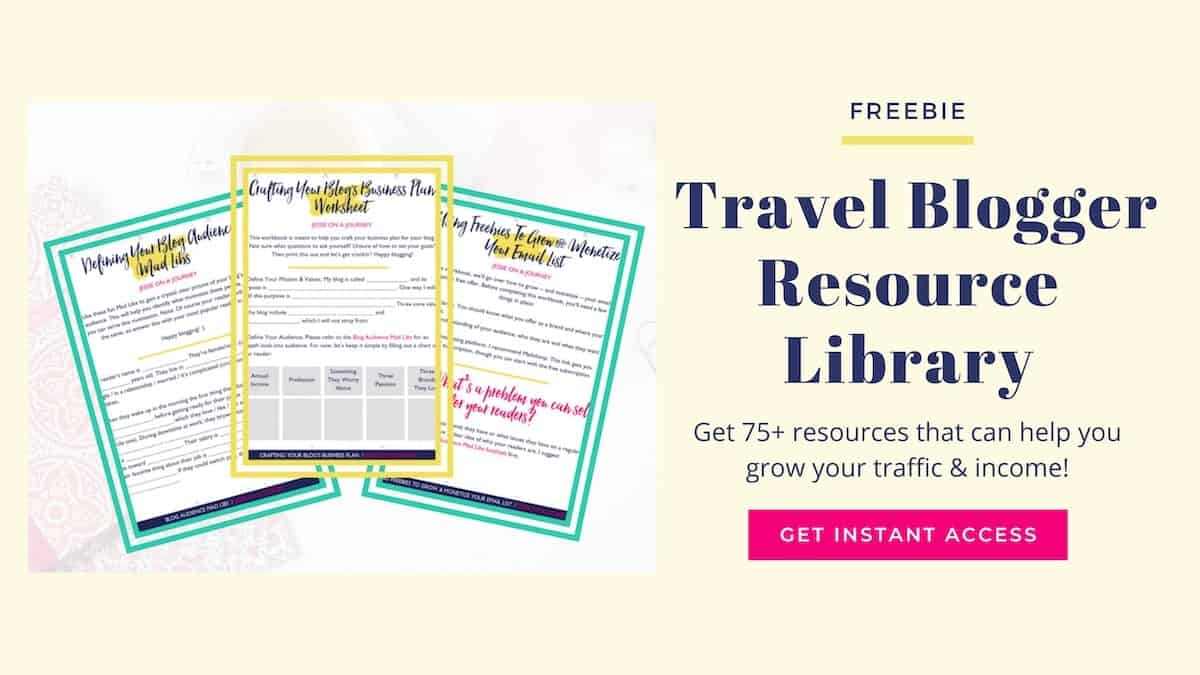
🎁 Grab my free Travel Blogger Resource Library featuring a Content Creation & Repurposing Strategy Spreadsheet! You’ll also get access to 75+ resources that can help you grow your traffic, email list, and income.
🎁 Join Travelpayouts with code “JESSIE” for a $25 bonus on your first payout (new users only) and get access to their free LinkSwitcher tool for easier content monetization across platforms!
Content Repurposing Workflow [Audio & Video]
Step-By-Step Content Repurposing Strategy [Guide]
Benefits of content repurposing
Before we go over our step-by-step content repurposing guide, let’s discuss why you’d even want to do it:
- Saves time and reduces burnout. Instead of constantly starting from scratch, you can focus on refining and reusing what already works.
- Keeps your messaging consistent. Repurposing ensures your core message reaches people whether they’re reading, watching, or scrolling.
- Expands your reach. Every platform attracts a different audience, and repurposing helps you show up where your ideal readers hang out most.
- Boosts SEO and discoverability. Turning videos into blog posts, embedding media, and interlinking content increases your visibility on Google and YouTube.
- Maximizes ROI from your efforts. Each piece of content you create becomes a multi-purpose asset that drives traffic, subscribers, and sales long after it’s published.
On that note, let’s dive into the framework!

Pre-work) Optimize content for affiliate links with Travelpayouts
If you’re always looking for ways to save even more time in your blogging workflow, LinkSwitcher from Travelpayouts — a leading affiliate platform for travel bloggers — is a game-changer.
LinkSwitcher automatically turns all the travel links on your website into affiliate links — whether they come from direct brand programs, networks, or just regular links you’ve added to past posts.
This means you can instantly start earning from content you’ve already published without needing to hunt down every old link, replace URLs, or manually update posts one by one. LinkSwitcher does it all for you in seconds, and keeps your SubIDs intact for easy tracking.
And once these links are turned into affiliate ones, you can also share them on other platforms when you reuse the content!
Plus, with Travelpayouts, you’ll be able to view detailed performance stats, get automatic payouts, and manage all major travel brand programs from one dashboard.
➡️ Click here to sign up for Travelpayouts & implement LinkSwitcher! New users can enter code “JESSIE” to get a $25 bonus on their first payout.
Step 1) Start with a long-form piece of content
In fact, if you want to treat this like a workshop, go grab your latest blog post, YouTube video, or podcast episode to create a content repurposing plan around.
The example I’ll be using today is my How To Launch A Custom Itinerary Planning Service YouTube video.
Step 2) Consider if there is a way to support it with another piece of long-form content
Can you:
- Embed a related video into your blog post?
- This is also great for SEO — especially if you add Schema markup — and it makes your post more engaging and increases the time a person spends on your site
- Repurpose video content audio into a podcast episode?
- Repurpose podcast content into a blog post or overlay clips for a video?
- Turn your blog post into a script for a video or podcast?
For example, my YouTube video about custom itinerary planning became a podcast episode on the same topic, then I used that podcast script to quickly create a blog post about launching an itinerary planning service.
I embedded both the YouTube video and the podcast episode into the blog post.
💡Tip: AI can be helpful here. When it comes to repurposing long-form content, I’m a big fan of RightBlogger, an AI-powered platform that helps bloggers create quality content quickly and includes tools like “YouTube Video to Blog Post” and “Blog Post to YouTube Video Script”.
For context, my approach to AI is that it’s best used as an assistant — a tool to help you share your unique ideas, not to do all the work for you.

Step 3) Add an opt-in freebie to all long-form content
Embed a relevant opt-in freebie into every piece of long-form content you create.
I also recommend regularly promoting your opt-in freebies in your social media content. We’ll talk about this more in a bit!
And remember: you can link to related blog posts, products, and affiliates right inside your freebie or welcome sequence. That way, it’s not just growing your list, but also your traffic and income.
Going back to my custom itinerary planning example:
- Within all of the content mentioned so far, I promoted my free Travel Blogger Resource Library—which includes a sample itinerary planning client onboarding form. This is the specific resource in my resource library that I promoted across my custom itinerary planning content.
- One question I often get is how I actually promote a specific resource within a larger resource library—like the Travel Blogger Resource Library, which includes 75+ resources. To give some clarity, let me read a specific call to action I put in my related blog post:
- “🎉 Don’t forget to grab access to my FREE Travel Blogger Resource Library! Get access to 75+ resources that can help turn your blog into a profitable business—including a sample client intake form you can use to onboard new itinerary planning clients!”
💡Tip: If you’re wondering how I create so many resources, the answer is AI! Essentially, I feed my AI tool two things:
- A past cheat sheet to give it a template to work with
- My new content—like my video transcript, blog post, or podcast script.
Then I ask it to create a cheat sheet using the new content. This way, I’m still sharing my own unique tips and expertise with my audience, but using AI to help me streamline the content creation process.
👀 For a visual, grab access to my free Travel Blogger Resource Library, which has loads of cheat sheets you can view as examples.

Step 4) Pull tips & clips to share on social media
Now let’s chat about how to repurpose blog content for social media. Instead of sitting down to create social content from scratch, use your long-form content as the foundation.
Going back to our Custom Itinerary Planning YouTube video example—which, as a reminder, I also turned into a podcast and blog post—here are some of the ways I did this:
- Immediately shared it to all relevant Flipboard magazines, since Flipboard prioritizes brand-new content.
- Pulled each main point to share as a standalone social media post. This always gets me at least 5 posts that I pre-schedule using SmarterQueue—which also recycles the posts for increased visibility!
- Bulk-created and pre-scheduled 5+ unique pins using PinGenerator. To avoid triggering any spam filters, I space my pins out by at least 7 days as part of my Pinterest strategy.
- Spliced my YouTube video up into 10+ YouTube Shorts in one click using a tool called Taja AI.
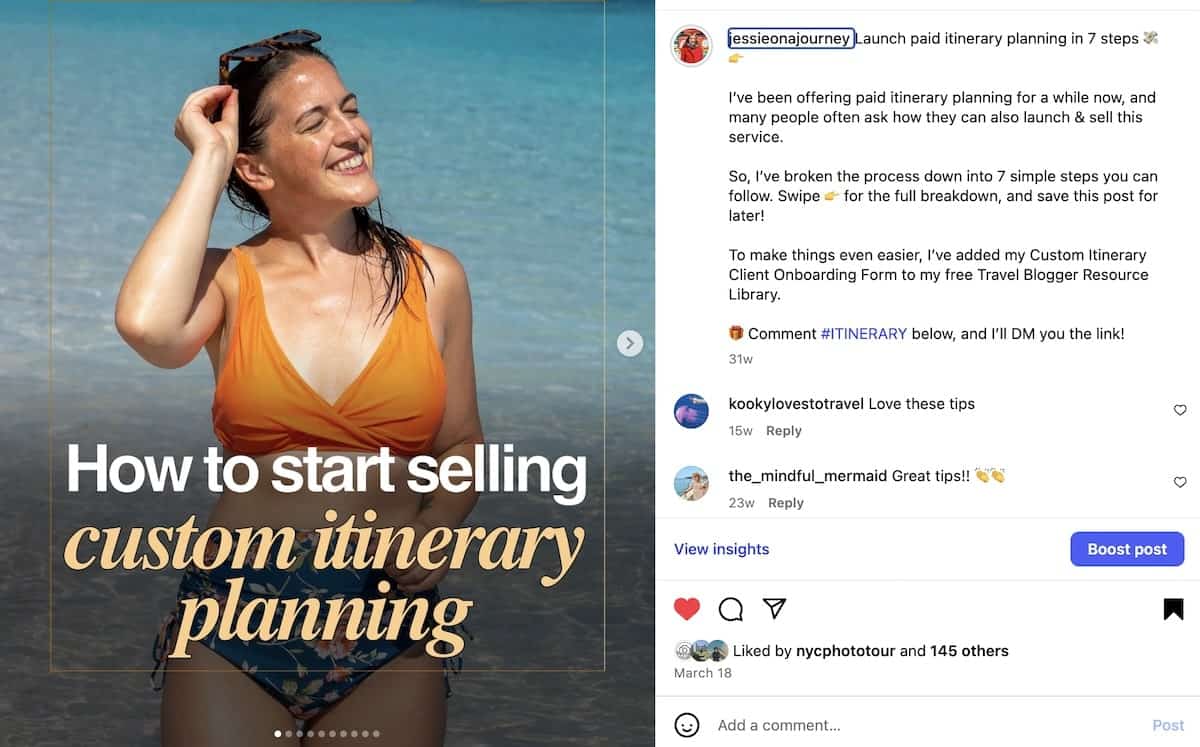
- Turned my full strategy into an Instagram Carousel with a call to action that said: “To make launching an itinerary planning service easier, I’ve added my Custom Itinerary Client Onboarding Form to my free Travel Blogger Resource Library. 🎁 Comment #ITINERARY below, and I’ll DM you the link!”
- Instagram CTA notes:
- That kind of “comment a keyword” call-to-action is known as DM marketing — and one of the best tools for it is ManyChat (includes 30 days free of their Pro Plan). It lets you automatically send DMs to anyone who comments a certain word on your post.
- When you’re setting up these automations, I recommend linking to an opt-in freebie rather than just a blog post whenever possible. A blog view is nice, but growing your email list gives you a direct line to your audience — which is way more valuable long-term.
- Next, I plan to create an Instagram Reel and share it across all of my video-friendly social platforms. You can play around with these too and create multiple versions of the video—such as by sharing a voiceover reel, a POV reel with just a few clips, or even just one really good clip—and include your ManyChat CTA in the post.
💡Note: I just mentioned several different tools. You don’t have to use all of them, but I shared them because I genuinely use and love them for saving me time and energy with this workflow.
🎁 Don’t forget to grab your free Content Creation & Repurposing Strategy Spreadsheet inside the Travel Blogger Resource Library! You’ll also get access to 75+ resources that can help you grow your traffic, email list, and income.
Step 5) Turn your long-form content into an email newsletter
Your newsletter is one of the best ways to drive repeat traffic and build trust with your audience. But, I know many bloggers get confused about what to actually write in their newsletters.
Luckily, this step can help.
Here, your main piece of long-form content becomes the foundation for your email. Instead of starting from scratch, repurpose your latest blog post, video, or podcast episode into a value-driven newsletter with a clear call to action.
You can summarize the main takeaways, tease the full post with a link, or turn one section into a quick-tip email. Here are a few examples of newsletters I’ve sent that promote my long-form content:
- My 5-Step Travel Safety System 💪
- Your Perfect Shoulder Season Road Trip 😎
- How To Score Cheap Flights ✈️
💡Tip: You can also reshare your long-form content in future newsletters. For instance, I like to include three bonus content links in the PS section of every email to keep recycling older posts and send new traffic their way.

Step 6) Consider the popularity of the content topic
You might notice a certain topic resonates especially well with your audience. In this case, it might be worth exploring as an opt-in freebie (if you don’t have one already), digital product, virtual event (like a free challenge or webinar), or other income-generating action.
For example:
- I ended up doing a Custom Itinerary Planning Q&A Livestream on YouTube, where I’m currently trying to increase my watch time to get into the YouTube Partner Program for an additional revenue stream.
- Also, I sent out a survey to my audience to explore the potential of creating a digital product around this topic and got some great feedback!

Tip: Repurpose old content
Now, it’s time to put learning into practice! Instead of starting from scratch, grab one of your top blog posts, update it for accuracy, email opt-ins, and affiliate links, and then move through the above steps.
You’ve got this!
AI Tools For Content Creation & Repurposing
RightBlogger (free plan option). An AI-powered content creation platform that helps bloggers repurpose videos, podcasts, and posts into new formats—like turning YouTube scripts into blog posts or blog content into videos.
ManyChat (get 30 days of their Pro Plan free). A smart automation tool for repurposing content and boosting engagement on social media by auto-sending DMs, links, and freebies to anyone who comments a specific keyword on your posts.
PinGenerator. A fast and easy tool that bulk-creates, schedules, and publishes Pinterest pins to help you drive consistent traffic without spending hours designing graphics. Click here to see if their AppSumo deal is still live!
SmarterQueue (extended free trial included). A powerful social media scheduler that recycles your best-performing posts automatically, helping you stay consistent and save hours each week.
Taja AI. An AI video assistant that automatically analyzes your long-form YouTube videos, identifies your most engaging moments, and splices them into optimized Shorts and Reels in one click.

Bonus Strategies For Streamlining Your Content Creation
Learn how to:
- Use AI To Write Blog Posts (Ethically)
- Create A Streamlined Blogging Schedule In 3 Steps
- Write SEO-Friendly Blog Posts From Start To Finish
- Start & Grow A Successful YouTube Channel
- Create Content That Converts On Social Media
➡️ Click here for the full Profitable Travel Blogger Podcast episode list!
Get Notified About New Episodes
Don’t miss an episode! Subscribe to The Profitable Travel Blogger Podcast on your favorite podcast platform like Apple Podcasts, Spotify, and Amazon Music.
Prefer email? Click here to sign up for our Podcast Updates newsletter!
If you already grabbed the free Travel Blogger Resource Library, you’re already on the list to get notified. 🎉
Creating A Content Repurposing Framework: Final Thoughts
At the end of the day, content repurposing isn’t about doing more, but about working smarter.
By creating a clear workflow, you can show up across multiple platforms, stay consistent with your messaging, and actually enjoy the process again.
Start small: choose one piece of content you’ve already published and see how many ways you can rework it — maybe a few social posts, a newsletter, or a short video.
Over time, this will become second nature and help you create more visibility, more growth, and more income from the work you’ve already done.
🎉 Don’t forget: You can grab my free Content Creation & Repurposing Strategy Spreadsheet inside the Travel Blogger Resource Library, which also includes 75+ resources for growing a profitable blogging business.
➡️ Click here to access the free Travel Blogger Resource Library!